
Core and API
Persist product state and respond to events
Store canonical designer state, restore it safely, and connect host actions without reading renderer internals.
Guide overview
Before you start
- A designer instance reaches the ready state.
- The host has an authenticated persistence endpoint.
- The integration records runtime and schema versions.
Expected result
A saved product or customer design can be restored exactly, with controlled autosave and useful failure feedback.
Use exported state as the source of truth
Persist only the public serializable state. Canvas objects, Babylon meshes, DOM nodes, and module component state are implementation details and are not a durable storage format.
Save the runtime version, schema version, product identifier, and update timestamp beside the state so diagnostics and future migrations have enough context.
Export the current state through the public API.
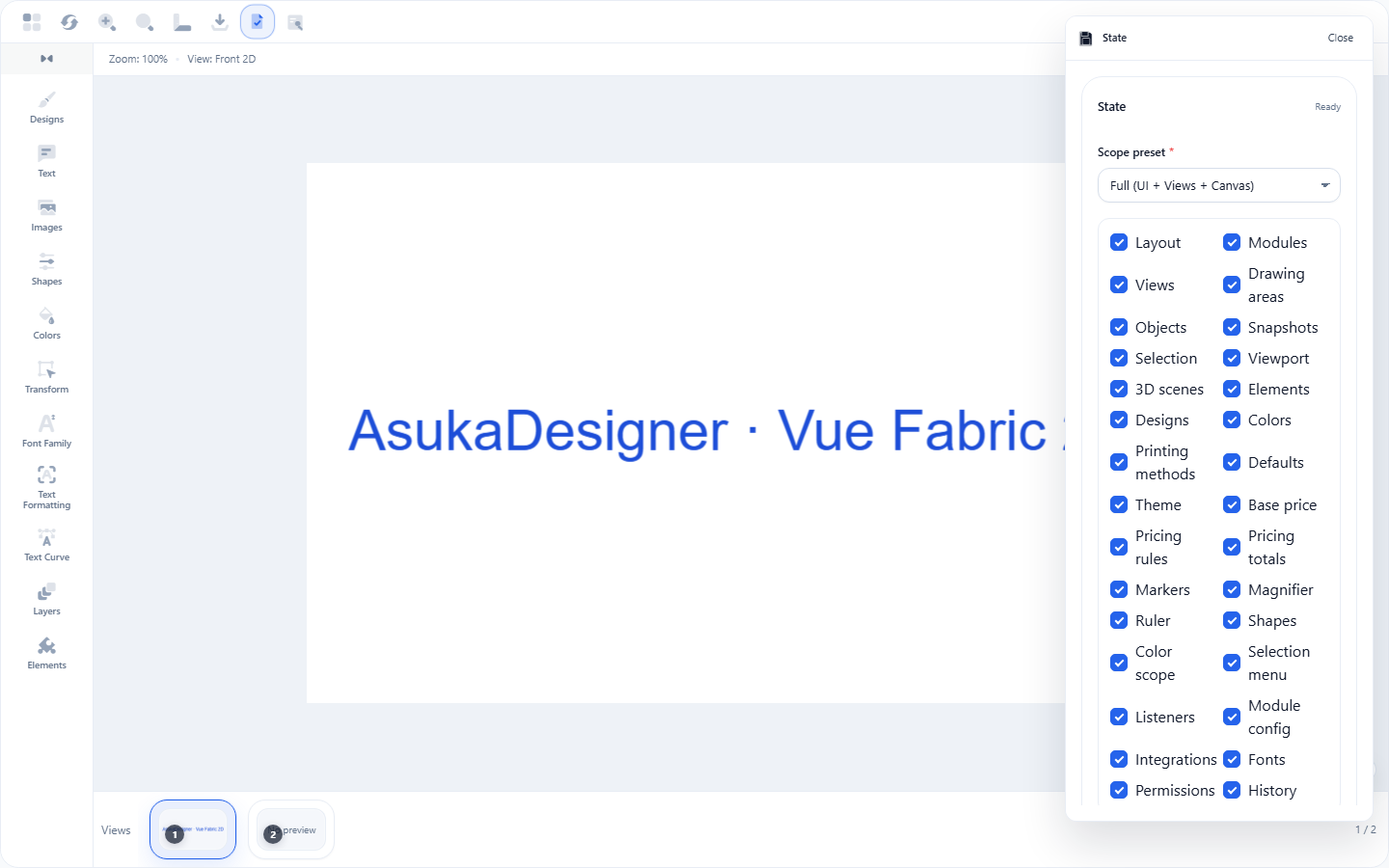
Attach version and product metadata.
Validate the payload server-side.
Store it atomically.
Subscribe to meaningful events
Listen for product, view, selection, validation, pricing, and export events according to the host workflow. A state-change event can drive autosave, but it should be debounced to avoid one network request for every drag frame.
Keep commerce actions explicit: a save confirmation is not the same event as adding an item to a cart.
Register listeners after ready.
Debounce draft persistence.
Show a pending and saved state in the host UI.
Unsubscribe during destruction.
Restore and recover
Load state only after adapters and permissions are configured, because restoration may need remote media and modules. If a migration or media fetch fails, keep the last valid state and surface a precise error.
For customer drafts, use revision identifiers to reject stale writes from another browser tab.
Fetch the latest revision.
Import through the public state API.
Wait for media and the active view to settle.
Compare the restored export with the saved revision.