
Core and API
Diagnose loading, rendering, and performance problems
Use runtime diagnostics and a repeatable test sequence to isolate host, media, renderer, state, and permission failures.
Guide overview
Before you start
- The issue is reproducible on a production-like host.
- Browser developer tools are available.
- The runtime version and product identifier are known.
Expected result
A support-ready diagnostic report identifies the failing stage without exposing private credentials or customer data.
Classify the failure first
A missing container, failed bundle, rejected state, inaccessible media, unsupported WebGL context, and hidden module permission can all look like a blank designer. Check initialization in that order before editing product content.
Record whether the issue affects every product, one view, one media file, one browser, or one role.
Confirm the mount node dimensions.
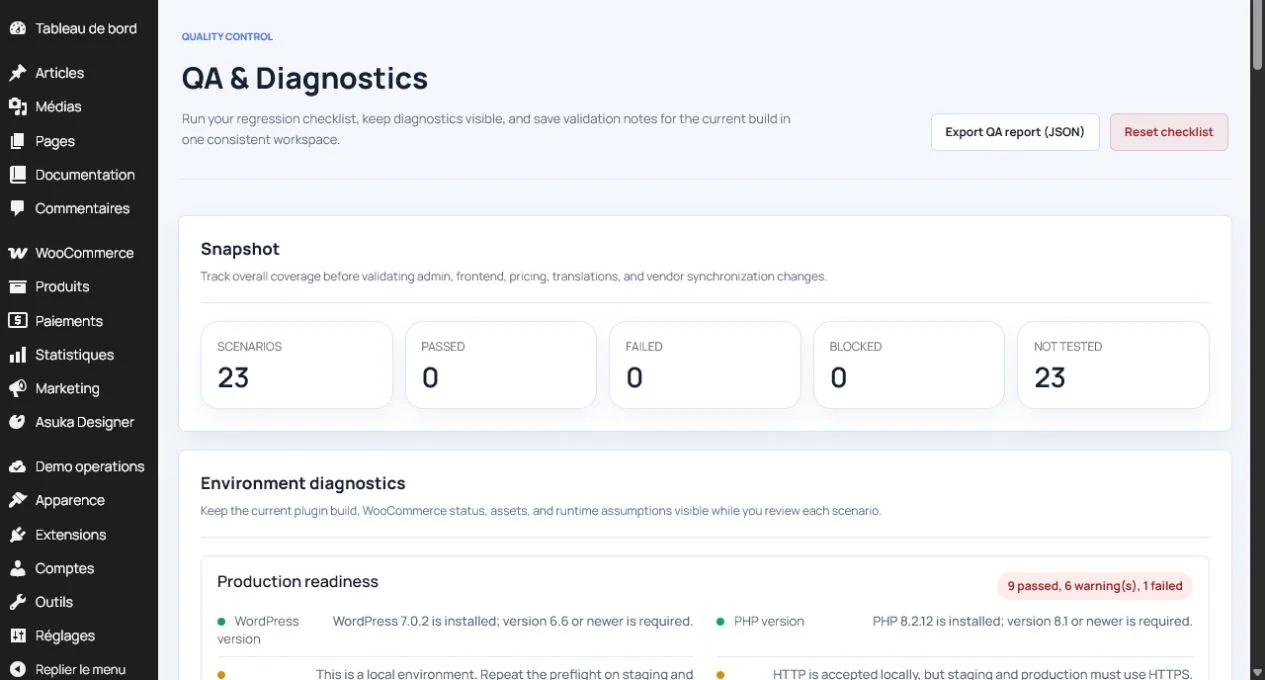
Check bundle and state requests.
Inspect media and CORS responses.
Compare administration and customer permissions.
Measure rendering cost
Use network timing, browser performance tools, and runtime diagnostics to find oversized images, GLB files, textures, or repeated state updates. The 3D renderer and its model should load only when a 3D view is used.
Avoid recreating the designer for ordinary state changes. Debounce persistence and price requests, and release instances when routes close.
Record first meaningful render.
Inspect the largest transferred assets.
Switch views while watching memory.
Check for duplicate event and network activity.
Create a useful support report
Include the integration type, runtime and schema versions, product and view identifiers, browser, failing action, sanitized console error, and request status. Never include API keys, authorization headers, customer contact data, or private design content.
Reproduce with the smallest product that still fails and state the expected and actual result.
Export sanitized diagnostics.
Attach exact reproduction steps.
Include one relevant screenshot.
Verify the report contains no secrets.