
WordPress and WooCommerce
Permissions, licensing, diagnostics, and support
Give teams the right tools, understand Free and Pro responsibilities, and send useful diagnostics without exposing secrets.
Guide overview
Separate plugin roles and entitlements
The WordPress.org plugin provides the free core and remains the required base plugin. The private commercial add-on extends it and must not run independently.
Starter unlocks Drawing Areas through that add-on, while Pro and Agency unlock their additional modules. User capabilities still decide which administrators can edit products, assets, pricing, settings, or diagnostics.
Keep the free plugin active.
Install and activate the commercial add-on for an entitled site.
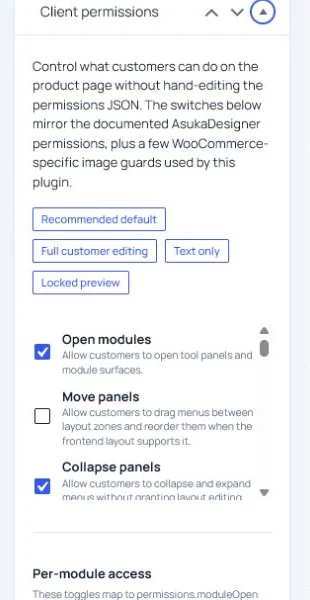
Assign the minimum WordPress capabilities to client roles.
Prepare a contextual support request
Run Settings > Diagnostics and review the environment, runtime, license, uploads, and commerce checks. The support flow may send the site domain, plugin versions, plan state, and selected diagnostics only when the administrator deliberately requests support.
Never paste passwords, API secrets, private keys, payment details, or customer data into a ticket.
Reproduce the issue.
Export or copy the relevant diagnostics.
Describe the shortest reproduction path.
Submit from the Support Center.