
Native Shopify app
Settings, defaults, uploads, and media providers
Configure administration and customer presets, storefront delivery, locales, uploads, and optional image services.
Guide overview
Choose reusable defaults
Settings defines the administration template and theme separately from the customer template and theme. New custom products inherit these defaults and can override them without changing the shared preset.
Also review pagination, history controls, automatic storefront display, locale fallback, upload limits, and provider availability.
Save the administration defaults.
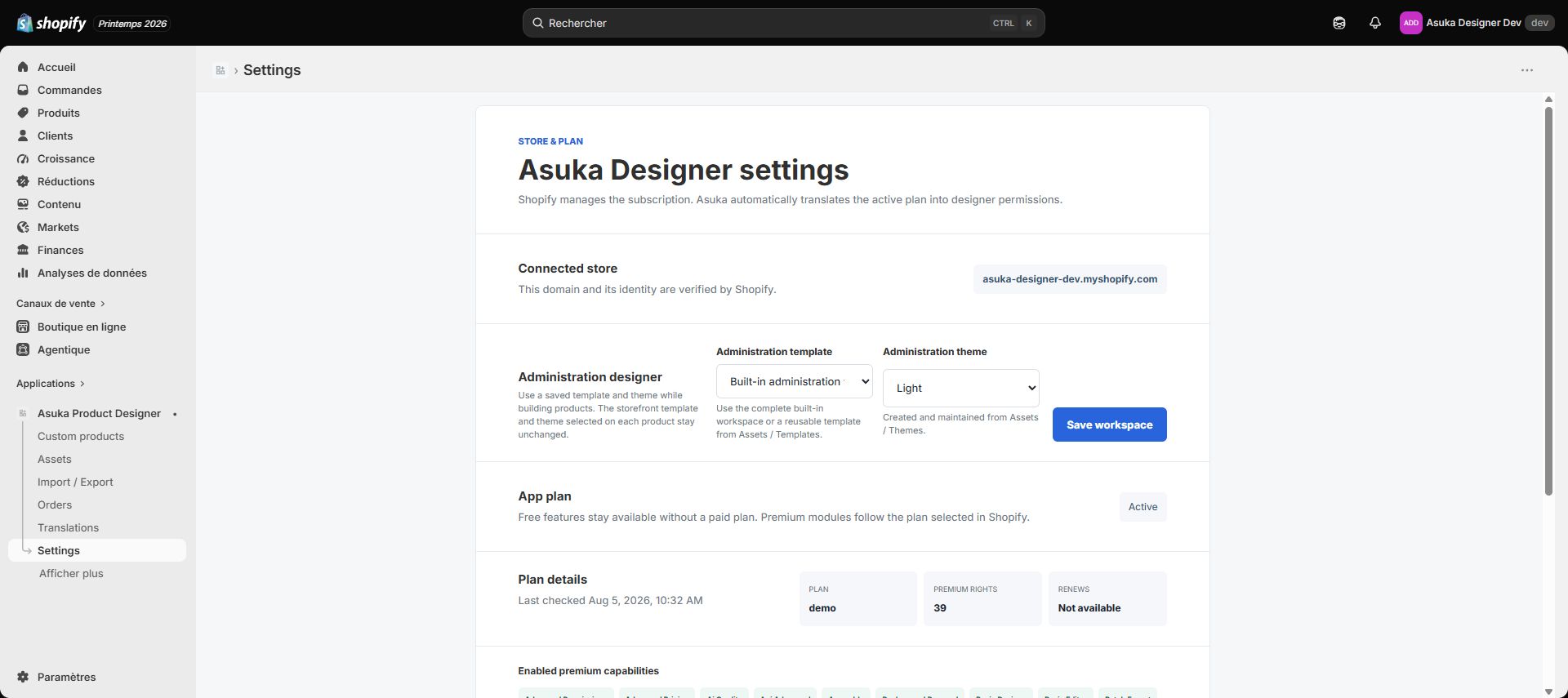
Save the customer defaults.
Create a test product and confirm inheritance.
Configure media providers deliberately
Enable only the providers customers need, such as Pixabay or Pexels, and store each required key through the server-side settings form. A Google API key is used only by the feature that explicitly documents it.
Never place secret provider credentials in a template, portable product, theme extension setting, or storefront JavaScript.
Enter and save the provider settings.
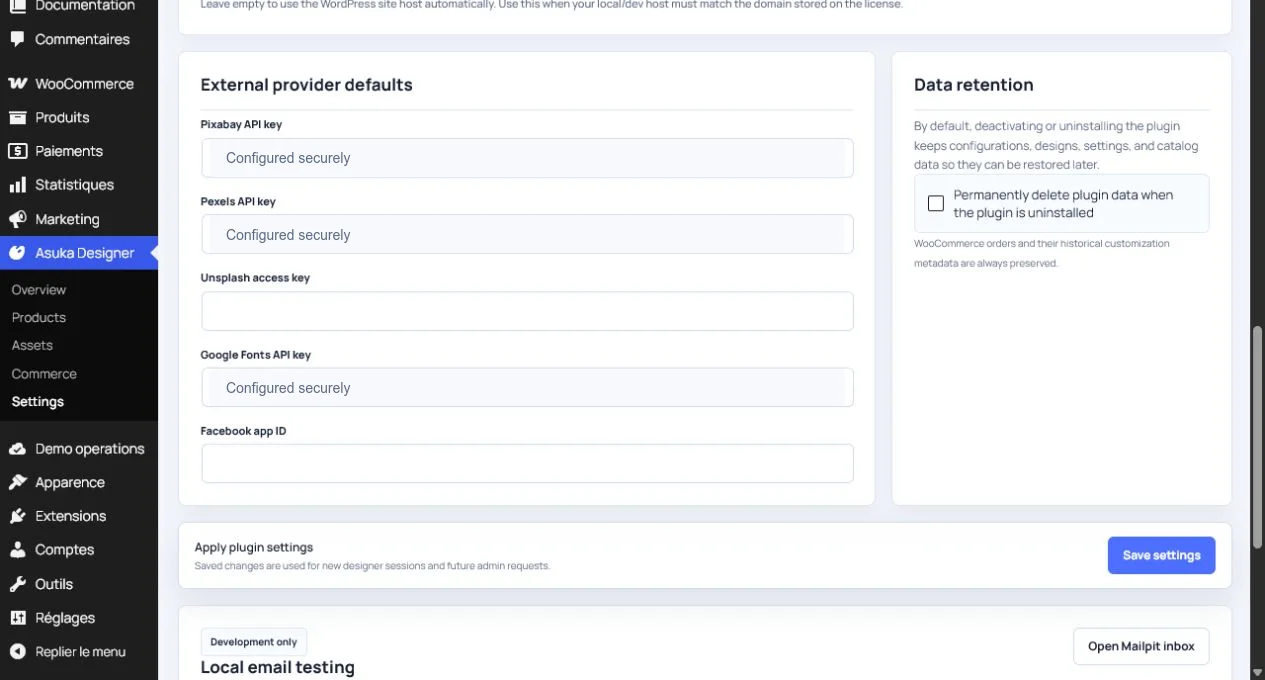
Use the built-in connection check when available.
Open the customer image module and verify search, attribution, and errors.
Control automatic and manual placement
Automatic placement requires the App Embed to be enabled and the active theme saved once. The reminder can be dismissed and restored from Settings.
Manual app blocks can be placed on a supported theme template and select one Asuka custom product directly.
