
Native Shopify app
Test cart editing, pricing, and orders
Carry one signed customization through the native Shopify form, cart, checkout, and embedded Orders page.
Guide overview
Before you start
- A native product is linked and visible in the Online Store.
- Pricing rules are published if used.
- A test payment path is available.
Expected result
The cart keeps one line with the correct preview, options, and price; editing updates that line and the order remains production-ready.
Add through the native product form
The designer reuses Shopify’s product form and selected variant so customers see one Add to cart button. The line receives a signed design reference, readable properties, preview, and allowed price adjustment.
The shirt or product media must not cover customer layers after color or variant changes; wait for the resolved custom product before capturing the preview.
Customize a linked product.
Change a priced option.
Use the single native Add to cart action.
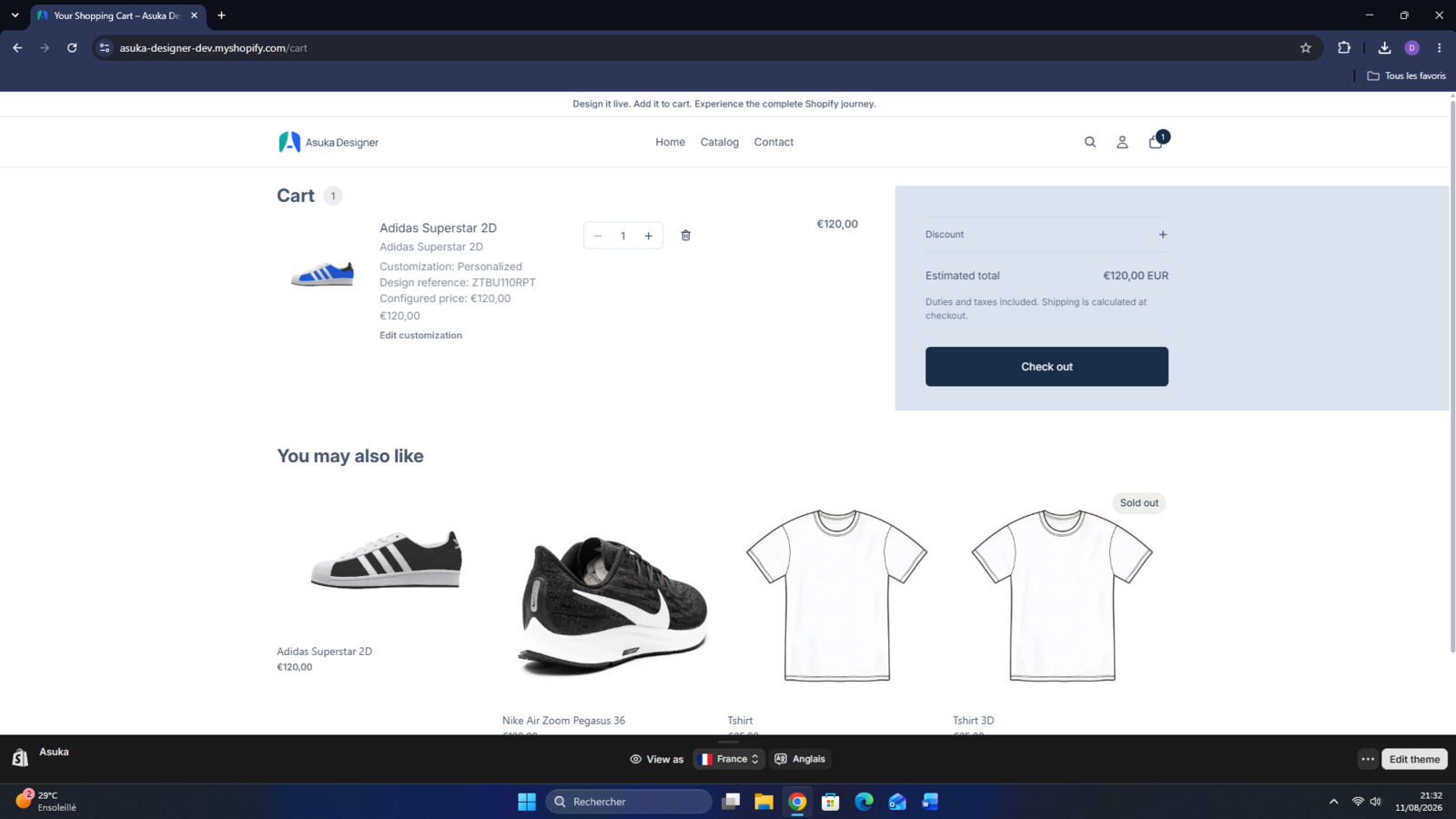
Open both cart drawer and cart page.
Edit the same line
Edit customization restores the exact design, product, and variant. Saving updates that cart item with the new reference, preview, properties, and calculated amount without adding a duplicate. Its quantity is preserved unless the customer changes it explicitly.
With the app embed enabled and saved, the editing link appears automatically. For a separate cart page with the app embed disabled, follow the Cart customizations steps in Place a manual Asuka theme block.
Test quantity changes and removing the item after editing.
Open Edit customization.
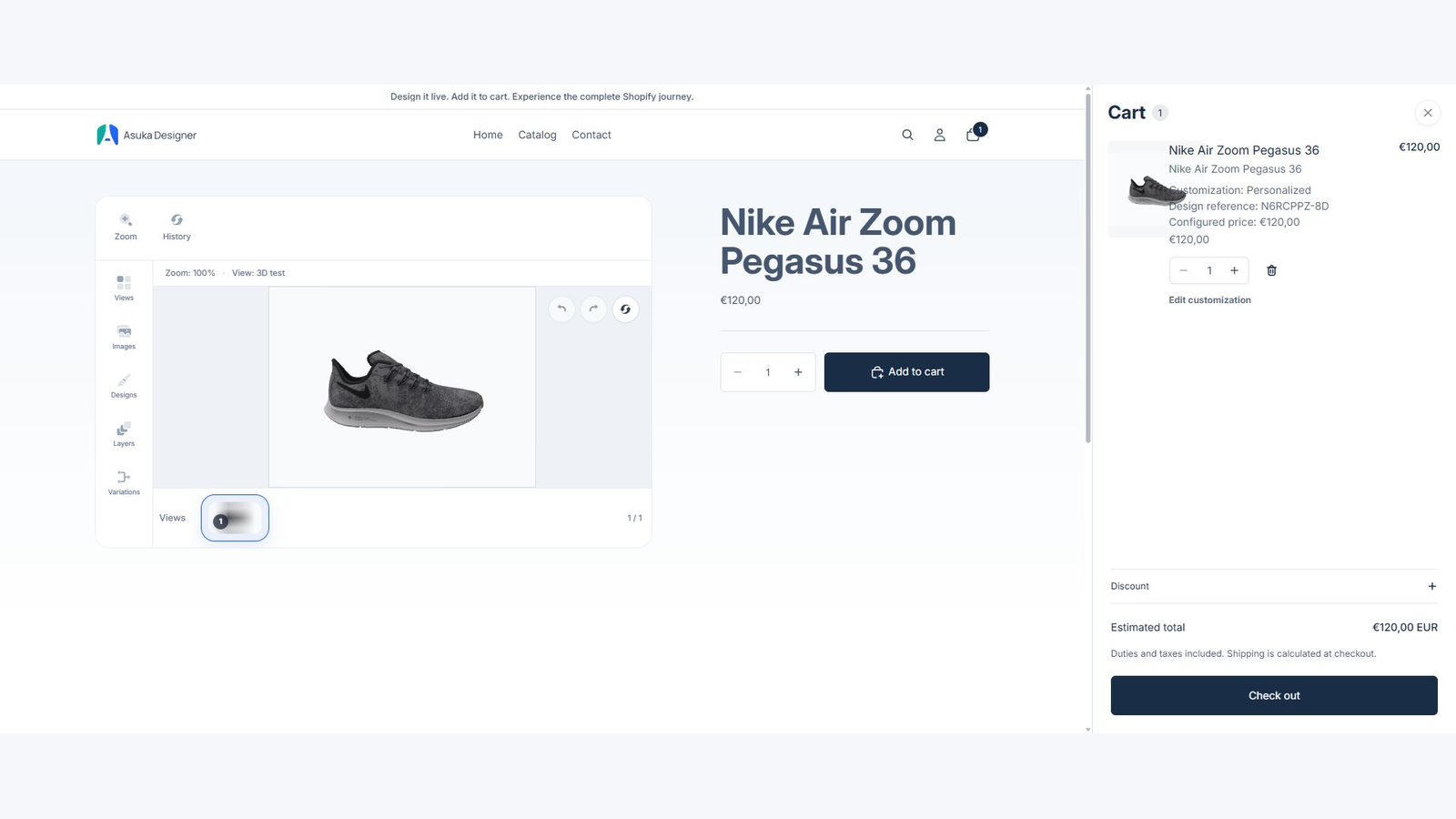
Modify one visible and one priced choice.
Save to cart.
Confirm the updated item, preserved quantity, and correct total without a duplicate.
Complete and inspect an order
Complete a test checkout, then open Asuka Product Designer > Orders. Confirm design reference, preview, selected options, price contribution, status, and production export.
Shopify remains the source of truth for payment, tax, customer, and fulfillment state; Asuka stores only the customization data needed for its service.
Complete checkout.
Open the embedded Orders page.
Compare order and designer metadata.
Generate or download a production file.